YouTube Profile Picture Downloaders That Actually Work

If you’ve attempted to download a YouTube profile picture directly or using browser tools, then it’s likely you’ve experienced some frustrations testing different methods.
There are countless PFP downloaders, but the majority of them don’t work, just there to make money from visits and ads.
For those who work, finding one that reliably gives you the actual channel image, rather than a tiny thumbnail or a fake “HD” upscale, is a different story.
I tested many of these tools, and these are a couple of ones I find useful.
Piknova
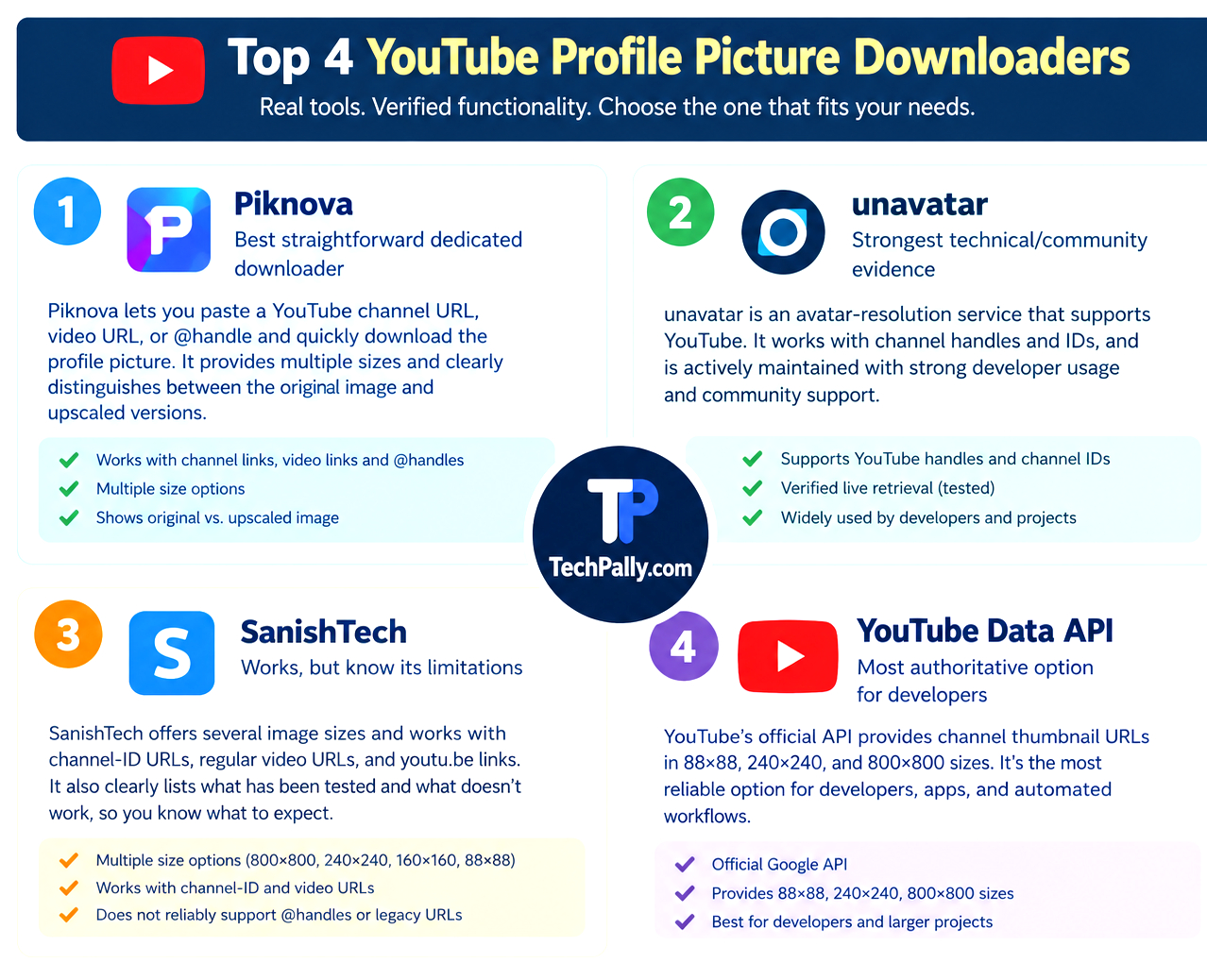
Piknova ranks first because of its simplicity.
You just put the YouTube link, it retrieves the channel avatar, and allows you to download the original photo size or others.
It accepts a channel URL, a video URL or an account username.
More importantly, Piknova distinguishes between the creator’s actual stored image and an enlarged render.
For example, if the PFP is 500 pixels, YouTube can not automatically recreate a 1,280-pixel photo without reducing the details.
Piknova labels larger sizes as upscaled versions, and not the original photo.
 Unavatar
The way Unavatar works for this purpose is different, not a typical YouTube PFP downloader.
Unavatar is an avatar-resolution service that supports many social media platforms including YouTube.
It boasts of handling over 100 million avatar resolution requests
Simply input the YouTube username, handle or channel ID, and it will resolve the account and return its avatar.
It has the free package and the premium option. You can use the free service to download one or a few profile photos. For hundreds or thousands of downloads, you should go for the paid plan.
SanishTech
SanishTool works similarly to Piknova. It accepts YouTube channel-ID URLs, regular video URLs, and youtu.be video URLs.
Once the link is valid, it identifies the associated channel, retrieves its public profile image and lets you select the size before downloading.
It offers downloads in different sizes such as 800×800, 240×240, 160×160 and 88×88.
Take note that tools work differently, so SanishTool works for URLs while @handle urls, /user/ link, and embed URLs often fail to work.
YouTube Data API
This should have ranked first but because it’s not a browser tool or downloader, it’s the last, but it’s actually an effective method.
It is YouTube’s own official mechanism for exposing channel thumbnails.
You can request a channel’s information through the YouTube Data API, read the thumbnail URL from the response, and download that image.
You can download thumbnails in 88×88, 240×240 and 800×800 dimensions, from default, medium, and high respectively.
The 800×800 is the highest-resolution channel thumbnail you can get but the creator’s original upload could be lower.
Also, the available thumbnail dimensions you can download depend on the size of the original profile picture of the creator. The higher the original size, the better the size available for download.
The API supplies the actual image URLs for those versions.
Other tools that are worth mentioning are A2Z Tools, and TubeTools.

A seasoned tech enthusiast, entrepreneur, and investor who has spent nearly two decades exploring and discussing how technology shapes everyday life.
Through years of hands-on experience in startups, digital ventures, and volunteer projects, I’ve developed a deep understanding of how emerging technologies influence business and society.
Whether writing about groundbreaking products, disruptive innovations, or future tech trends, my goal at TechPally remains the same – to inspire curiosity and empower people through knowledge.


